
For millions of users worldwide, WhatsApp has evolved from a simple messaging app into the central hub for both personal and professional communication. As our digital lives spread across phones, tablets, and computers, the ability to stay connected on multiple linked devices has become essential. However, this convenience has historically come with security trade-offs.
That landscape changed dramatically in March and April 2026. WhatsApp has rolled out its most significant update yet for WhatsApp linked devices, introducing real-time security alerts, expanding Chat Lock protection, and finally solving the cross-platform migration headache . Whether you manage two accounts on one iPhone or worry about leaving WhatsApp Web open on a shared computer, these new features give you control like never before.
Here is everything that has changed, what’s still in development, and how to use these tools to lock down your account today.
Major Security Upgrades for Linked Devices
The biggest shift in this update cycle is WhatsApp’s focus on proactive security. Instead of merely allowing multi-device usage, WhatsApp is now actively protecting it.
Chat Lock Expands to Companion Devices
Previously, the Chat Lock feature was a solo act—it only worked on your primary phone. If you locked a sensitive conversation (e.g., with your lawyer or doctor), it would remain unprotected on your iPad or WhatsApp Web. That loophole is now closed.
With the latest update, users can set a secret passcode that syncs the locked chats across all linked devices . Now, when you lock a chat on your phone, it automatically becomes inaccessible on your computer or tablet without the specific passcode.
-
Why it matters: Prevents embarrassing or private exposures when you hand your tablet to a family member.
-
How to use: Long-press a chat > Lock Chat > Follow the prompts to set a secret passcode that works everywhere.
New Real-Time Activity Monitoring (Beta)
WhatsApp is currently testing a groundbreaking security tool in Beta version 2.26.15.6 for Android: real-time linked device activity notifications .
Here is how it works: Currently, you have to manually check Settings > Linked Devices to see if anything suspicious is connected. The new feature changes this by sending an instant alert to your primary phone whenever a linked device becomes active simultaneously with your main device .
Real-world scenario: Imagine you finish work, close your laptop (but leave WhatsApp Web open), and walk away. A colleague sits down and starts browsing your open chats. Under the new system, your phone immediately buzzes: “A linked device is active.” You can then instantly log that device out remotely.
Status Update: This feature is currently “under development” and not yet available to the general public, but it is expected to roll out to beta testers soon .
Device Linking Warnings (Anti-Scam Tool)
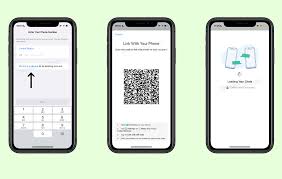
One of the most dangerous scams today involves account takeover via QR codes. Scammers trick users into scanning a QR code that links the scammer’s device to the victim’s account, giving them full access to messages .
To combat this, Meta has introduced a Device Linkage Warning system . If WhatsApp detects suspicious behavior during a linking attempt (e.g., an unusual location or rapid-fire requests), it will display a full-screen red alert stating: “Linking this device could allow someone else to access your messages.”
-
Actionable advice: If you see this warning when you aren’t actively trying to log into a new computer, tap ”Block” immediately and change your WhatsApp settings.
Quality of Life Updates: Dual Accounts and Storage
Beyond security, WhatsApp has introduced several high-demand features that improve how we manage our digital identities across devices.
Dual Account Support Finally Arrives on iOS
For years, Android users could juggle two WhatsApp accounts on one phone (e.g., Work + Personal). iPhone users were left carrying two devices or constantly logging in and out. That changes now.
WhatsApp now supports two simultaneous accounts on iOS . You can add a second account using a different phone number and a second SIM (or eSIM).
-
Visual indicator: Your profile picture now appears in the bottom tab so you always know which inbox you are viewing.
-
Notification management: You can customize notification sounds for each account separately.
How to set it up:
-
Go to Settings > Account > Add Account.
-
Follow the verification steps for the second number.
-
Switch between accounts by tapping the profile icon in the bottom bar.
Cross-Platform Chat Transfer (iOS ⇄ Android)
Switching from an iPhone to a Samsung (or vice versa) used to mean losing your chat history unless you paid for third-party software. WhatsApp has now officially released a first-party chat transfer tool that works securely across ecosystems .
You can now move your entire chat history, media, and call logs directly from iOS to Android (and Android to iOS) over a local Wi-Fi connection.
Requirements:
-
Android 10+ or iOS 16+.
-
The same phone number on both old and new devices.
-
The latest version of WhatsApp installed on both.
The process:
-
On your old iPhone, go to Chats > Transfer Chat History > Transfer to Android.
-
Scan the QR code displayed on your new Android device.
-
Wait for the end-to-end encrypted transfer to complete .
Note: Status updates and peer-to-peer payment messages do not transfer .
AI-Powered Storage Management
Is your phone constantly complaining about low storage? A new ”Manage Storage” tool inside individual chats allows you to delete large files without wiping the conversation text .
-
Where to find it: Open any chat > Tap the contact name > Manage Storage.
-
What it does: Sorts media by file size (largest first), allowing you to bulk-delete heavy videos while keeping the chat history intact.
WhatsApp Business and Future Beta Features
For power users and business owners, the linked device updates are equally impactful.
-
Multiple Accounts on Business: While the consumer app now supports dual accounts, WhatsApp Business users can also leverage this for managing different storefronts.
-
Upcoming: “After Reading” Disappearing Messages: A beta feature is testing messages that vanish 15 minutes after being read (rather than a fixed time after sending), adding another layer to ephemeral privacy .
Actionable Checklist: Securing Your Linked Devices Today
You don’t have to wait for future beta updates to secure your account. Based on the features released today, follow this checklist:
-
Review your linked devices now: Go to Settings > Linked Devices. If you see a device you don’t recognize, tap it and select Log Out.
-
Enable Chat Lock on your primary device: Ensure your sensitive chats are locked. The protection now extends to all your tablets and desktops automatically.
-
Update WhatsApp: Ensure you are running the latest version from the App Store or Google Play Store to access the iOS dual-account feature and the new storage tools.
-
Never share your linking code: WhatsApp will never ask for your 8-digit linking code via chat. If someone asks for it, report the account immediately.
Conclusion: A More Secure, Flexible WhatsApp
WhatsApp’s Spring 2026 updates address the two biggest pain points of modern messaging: security on secondary devices and cross-platform friction. The expansion of Chat Lock to linked devices closes a major privacy gap, while the incoming real-time activity alerts will give users the power to spot hackers the moment they try to sneak in .
For users juggling work and life, dual accounts on iOS finally level the playing field with Android. And for those upgrading their phones, the official cross-platform transfer tool removes the final barrier to switching ecosystems .
As these features roll out globally, the message is clear: You no longer have to choose between convenience and security on WhatsApp. You can finally have both.
Disclaimer: Features such as real-time linked device monitoring are currently in beta testing (Version 2.26.15.6) and may not be available to all users immediately